Wednesday, May 19, 2010
11/7/10 PART 2 now full!

Tuesday, May 18, 2010
New Workshop Dates for PART 1 and 2

This is the Intro to Digital Photography series (PART 1 and PART 2)
If you are interested in one or both, just fill out this form to secure your seat.
********** PART 1 DETAILS **********
For beginners who are interested in taking better everyday pictures. From children to birthday parties, to traveling. We cover most of the everyday situations. This PART 1 workshop focuses on the fundamentals of photography (lighting, aperture, shutter speed...etc.). You don't need to have any prior knowledge of photography to sign up for this workshop, but having a digital SLR is a must! Come meet other photography enthusiasts just like yourself!
********** PART 2 DETAILS **********
The goal of this Part 2 workshop is to apply everything that you've learned in Part 1 of my Intro class. This will be a HANDS-ON workshop. You will spend a few hours shooting along side with me and you will be partnered with fellow students to experiment new techniques. After the field shoot, we will come back to my home studio to go over high level post processing. Take a look at what we will cover in a very high level.
PREREQ: BASIC PHOTOGRAPHY EXPERIENCE (understand aperture, shutter speed, depth of field...etc.), AKA MY INTRO TO DIGITAL PHOTOGRAPHY PART 1 KNOWLEDGE
On-location Shoot
- How to creatively create an image
- What do I look for when I compose a picture?
- What goes through my head when I take a photo?
- Shooting in different modes (Av, Tv, M)
- Moving vs. Stationary subject
- Demonstration of depth of field
- Shooting in different situations
- Shooting with different lens
- How to use an external flash
Post Processing discussion (high level)
- RAW editing techniques
- Editing techniques
- How to process high and low res photos
- How to make your photos "pop" online
- Demonstrating batch techniques
- How to create your own Actions
********** GENERAL INFO **********
How do I sign up?
Sign up now by filling out this form
San Francisco, CA
I want to sign up, how do I secure a seat(s) for the workshop(s)?
I accept online credit card payments via Pictage. Your seat is confirmed only upon payment is received.
I don't know much about photography, I am a true beginner, is that ok?
YES! The series is specifically designed for true beginners!
How many participants are in your workshops?
Usually from 8-10
If I want to see pictures of previous workshops, where do I go?
It's all right here
Monday, February 22, 2010
2/21/10 PART 2 Workshop


I love the silliness :)

Saturday, February 20, 2010
2/20/10 PART 1 Workshop
Thanks to Vero for taking most of these wonderful photos:


Tuesday, February 16, 2010
Coming weekend workshops seats available
Sunday, February 07, 2010
2/20 PART 1 workshop 2 seats avail

Two seats became available for my 2/20/10 PART 1 workshop. If you are interested, click here to fill them now!!
Thursday, January 28, 2010
NEW! Post Processing Workshop (PART 3)

This is a BRAND NEW workshop focuses on post processing. This is Part 3 of my Introduction to Digital Photography series. If you are interested in more info for Part 1 and Part 2, you can go here for more information.
Many of my PART 1 and PART 2 students request for a post processing workshop, so here it is! This workshop will be half lecture and half hands-on work. The first part of the workshop will go through an overview of Adobe Photoshop and its rich features, then the second part will be a hands-on "lab" type environment for you to learn.
Requirement for this workshop:
You need to have a laptop with Adobe Photoshop CS3 or higher installed. You will be using your laptop for the 2nd half of the workshop.
Here is a high level list of topics that we will cover:
- Overview of editing software: Adobe Bridge, Adobe Camera Raw, Photoshop features
- Come and learn how to:
--- batch process images so you don’t spend more time than you have to
--- process images in Camera Raw without having to go into Photoshop
--- create your own actions
--- use the powerful feature of Liquify
--- recover your over/underexposed images
--- fix bad white balanced images
--- successfully convert your color images to beautiful black and whites
--- enhance a portrait without over processing the image
--- remove unwanted blemish
--- master sharpening images for the web and for prints
--- prepare images for the web vs. print
- Augie’s digital workflow on web/blog images and printed images
- Hands on “lab section” to practice your new post-processing skills
***** GENERAL INFO ****
How do I sign up?
Just click here to fill out this form!
It is VERY important to be clear on which workshop you are interested in.
Where does the workshop take place?
At my home studio in San Ramon (directions will be provided)
I want to sign up, how do I secure a seat for the workshop?
I accept online credit card payments via Pictage. Your seat is confirmed only upon payment is received.
Sunday, January 10, 2010
1/09/10 PART 1 Workshop
Many students talk to me and ask different questions throughout the day, but this time , I had a great moment that I would love to share. One of my students told me while we were heading to lunch... "You can see how eager your students want to learn!". This hit home for me. His comment made me realized how lucky I am as a teacher. The best compliment a teacher could have is to have his students interested and eager to learn. Thanks to all of you that attended my workshops this weekend.


Tuesday, January 05, 2010
Monday, January 04, 2010
Space opened up for this weekend's workshops

Monday, December 07, 2009
Latest Jan and Feb Workshop Status
1/9/10 PART 1 -- ONE seat open
1/10/10 PART 2 -- FULL
2/20/10 -- open
2/21/10 -- open

Monday, November 16, 2009
11/14 Intro to Digital Photography PART 2 Workshop
We started the day with a short lecture at my home studio. We sync-ed before we headed out for an all day in-the-field workshop.

We separated the large group into two smaller groups to demonstrate how to shoot "group shots".


Another way to demonstrate group shots, together as a group ...

and not so together as a group ...

Here I was showing the group what I did

This was done during one of the assignments. I couldn't resist flexing in front of the camera :)

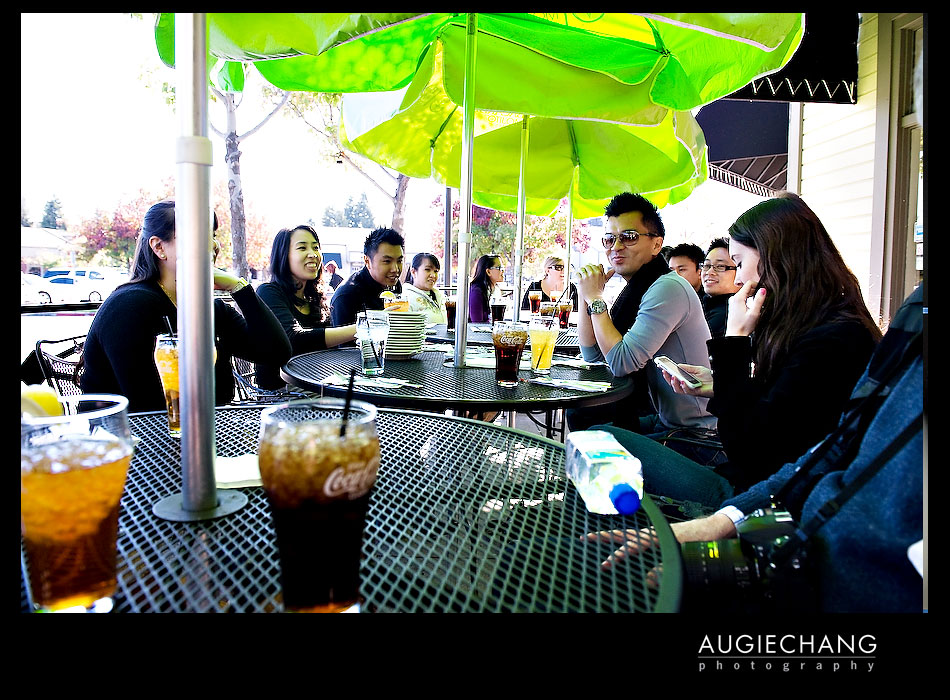
We had a wonderful sunny day so we had lunch outside the patio


Here, I was explaining to the group how to work with a model.

Here is our beautiful model Perri. Thanks Perri for helping us out!


Just a few shots of what I did for Perri.


Showing the students how I shot the photo

And here is the result

Of course, a fun group shot!

I would like to thank Andy (my wonderful assistant) for taking most of these wonderful behind-the-scene photos. Also, want to thank Tom and Herman (students) for a few of them.
About Me
- Augie Chang, Photographer
- My name is Augie and I am a wedding and portrait photographer based in the San Francisco. Thanks for visiting my blog! come back often! Drop me an email if you have time at augie@augiechang.com